

Most business owners think of “web analytics” as one thing: a dashboard full of numbers. In practice, it’s four different kinds of analysis, and most businesses only ever use one of them.
That’s not necessarily a mistake; descriptive analytics alone covers a lot of ground. But knowing the other three exist changes what you ask your data, and what you do once you have an answer.
This guide explains the four types of web analytics, what each one actually tells you, and which ones are realistic for a business your size.

What are the four types of web analytics?
| Type | Question it answers | Example in web analytics |
| Descriptive | What happened? | GA4’s standard reports—sessions, traffic sources, conversions |
| Diagnostic | Why did it happen? | Explorations, segments, session recordings in a tool like Clarity |
| Predictive | What’s likely to happen next? | GA4’s purchase and churn probability |
| Prescriptive | What should you actually do about it? | Human judgment, informed by the other three |
1. Descriptive analytics
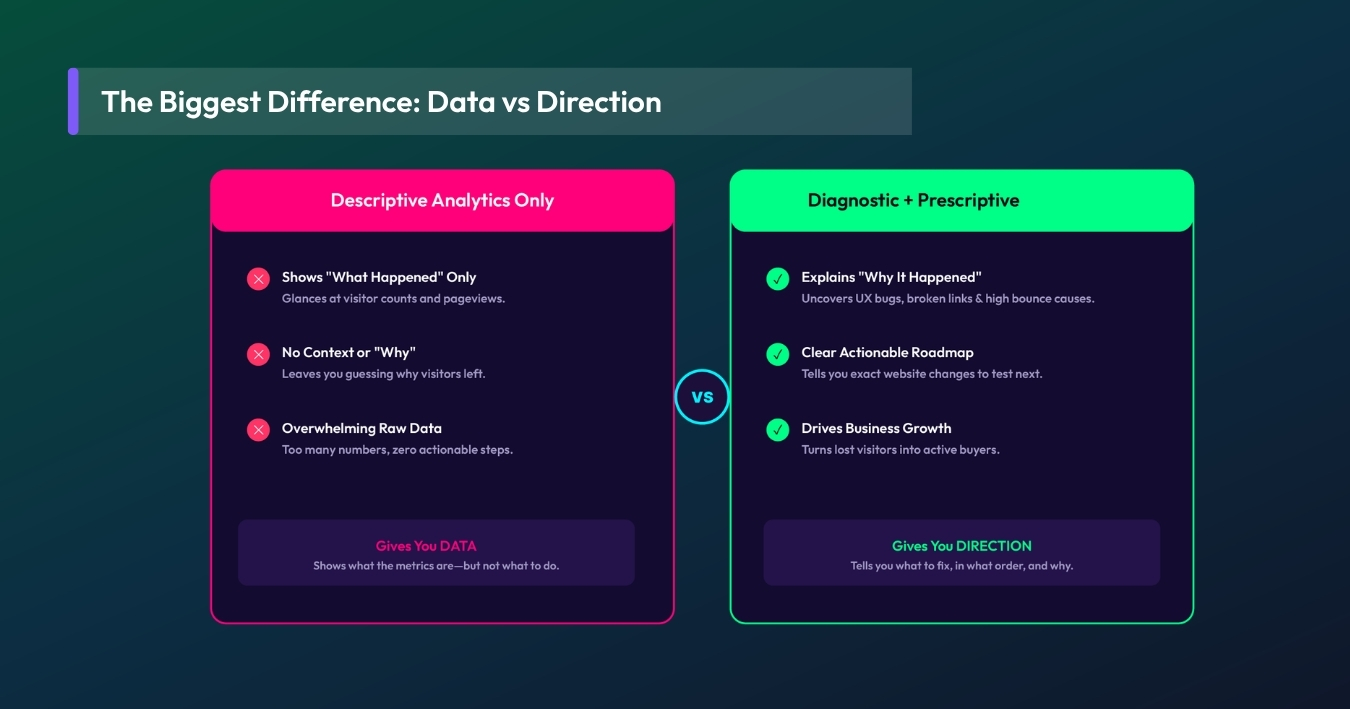
Descriptive analytics is the baseline, and the one most small businesses actually use. It’s every report GA4 shows you by default: how many sessions you had, where traffic came from, which pages got the most views, how many conversions happened.
It tells you what happened, in numbers, without explaining any of it or suggesting what to do next.
2. Diagnostic analytics
Diagnostic analytics goes one step further and asks why. If traffic dropped, diagnostic analysis means segmenting the data to find out which specific channel dropped, or watching session recordings in a tool like Microsoft Clarity to see exactly where visitors actually got stuck or gave up.
It’s more work than glancing at a report, but it’s where the genuinely useful answers usually live.
3. Predictive analytics
Predictive analytics forecasts what’s likely to happen next, before it actually does. GA4 offers this natively: purchase probability and churn probability, both powered by machine learning models trained on your own visitor data.
The catch is real, though: it requires at least 1,000 users who did the thing and 1,000 who didn’t, over a rolling 28-day window. Most small business sites simply don’t generate enough traffic to qualify, no matter how well the tracking is set up.
4. Prescriptive analytics
Prescriptive analytics answers what you should actually do about it, and this is the one no tool fully automates for a small business. It’s built from the other three—descriptive data flags a problem, diagnostic data explains it, and a human decides what to change (a headline, a price, a page layout), then tests whether the change actually worked.
What does this actually look like for one business?

Here’s how all four types actually play out for one business, in sequence, instead of as separate abstract categories.
A consultant’s bookings drop 20% one month.
- Descriptive analytics shows this first—a lower session count in GA4’s standard reports, nothing more.
- Diagnostic analytics comes next: digging into an Exploration segmented by traffic source reveals the drop is isolated to organic search, not paid or direct traffic. A session recording in Clarity shows visitors landing on the services page and leaving within seconds.
- Predictive analytics adds a forward-looking piece—if this consultant had enough purchase history for GA4’s models to run, it might flag that the remaining search visitors show a lower conversion probability than usual, confirming the trend is real, not noise.
- Prescriptive analytics is the human step: the consultant decides to rewrite the services page’s headline and test it.
Four types, one problem, in the order a business would actually move through them.
What tools actually help with the prescriptive step?
Prescriptive analytics doesn’t have to stay purely a human judgment call. A/B testing tools are the closest thing to software that actually helps with this step.
Google used to offer Optimize for free, letting you test two versions of a page and measure which converted better. It was discontinued in 2023, and Google never replaced it.
Today, VWO offers the most comparable free option for small businesses—a visual, no-code editor for testing headlines, layouts, or calls to action, free up to 50,000 tested visitors a month.
The tool tests the change. It doesn’t tell you what to test in the first place—that still comes from the diagnostic work earlier in this process. A/B testing confirms whether your prescriptive decision was actually right, rather than replacing the decision itself.
What do most businesses miss?
- Descriptive gets checked; diagnostic rarely does
Most small businesses live entirely in descriptive analytics, and never move past it. They check traffic, see it went up or down, and stop there, without ever asking why it happened in the first place. - The gap is a missed step, not a failure
Diagnostic analytics doesn’t require a new tool in most cases, just a different question. The same GA4 property that shows you sessions dropped can also show you which segment, device, or landing page the drop actually came from, if you take the time to dig into it instead of just glancing at the top-line number and moving on. - Predictive and prescriptive matter less than closing this gap first
Chasing purchase probability scores before you’re even asking why traffic moves is optimizing a step you haven’t earned yet, and skips right past the answers that would actually help.
Where did this framework actually come from?
This four-type framework didn’t originate with GA4, or even with web analytics. It comes from Gartner’s Analytics Ascendancy Model, first outlined around 2012, and it’s applied the same way across retail, healthcare, and manufacturing as it is here.
A retailer uses descriptive analytics for sales figures and diagnostic analytics to explain a regional decline; the same structure, just applied to inventory instead of website traffic.
That’s worth knowing mainly because it means the skill of thinking in these four stages—what happened, why, what’s next, what to do about it—transfers well beyond your website. Once it clicks for web analytics, the same instinct applies the next time you’re looking at any report, anywhere in the business.
Key takeaways
Understanding web analytics means looking beyond one type of analysis; there are four:
- descriptive tells you what happened
- diagnostic tells you why
- predictive forecasts what’s coming next
- prescriptive tells you what to actually do about it
Most small businesses only use the first one, checking traffic and stopping there without ever digging further. The real value sits one step further, in diagnostic analysis, which any GA4 property can already do without new tools or a bigger budget behind it.
Predictive and prescriptive analytics matter eventually, but they’re rarely the gap actually holding most small businesses back from better decisions.
Want help getting past descriptive analytics?
Need help setting up your analytics to actually answer why, not just what? ShiftWeb can configure your GA4 property, segments, and behavior tracking to get you there faster.
Request a proposal and start understanding your data instead of just glancing at it.


